To simplify processes in the area of finance and accounting, Dynamics 365 Business Central offers the function of sending invoices and credit notes electronically in PEPPOL format.
An already configured document exchange service is included in Business Central and can be set up for your client.
A sales invoice in PEPPOL format is sent via the "Post and send" dialog box under "Electronic receipt".
You can also maintain the customer's standard document sending profile here after setting up the following master data:
- Client data
- Debtors
- Article
The e-mail address to which the receipt is to be sent via PDF is maintained in the customer master data.
How to send an electronic sales invoice:
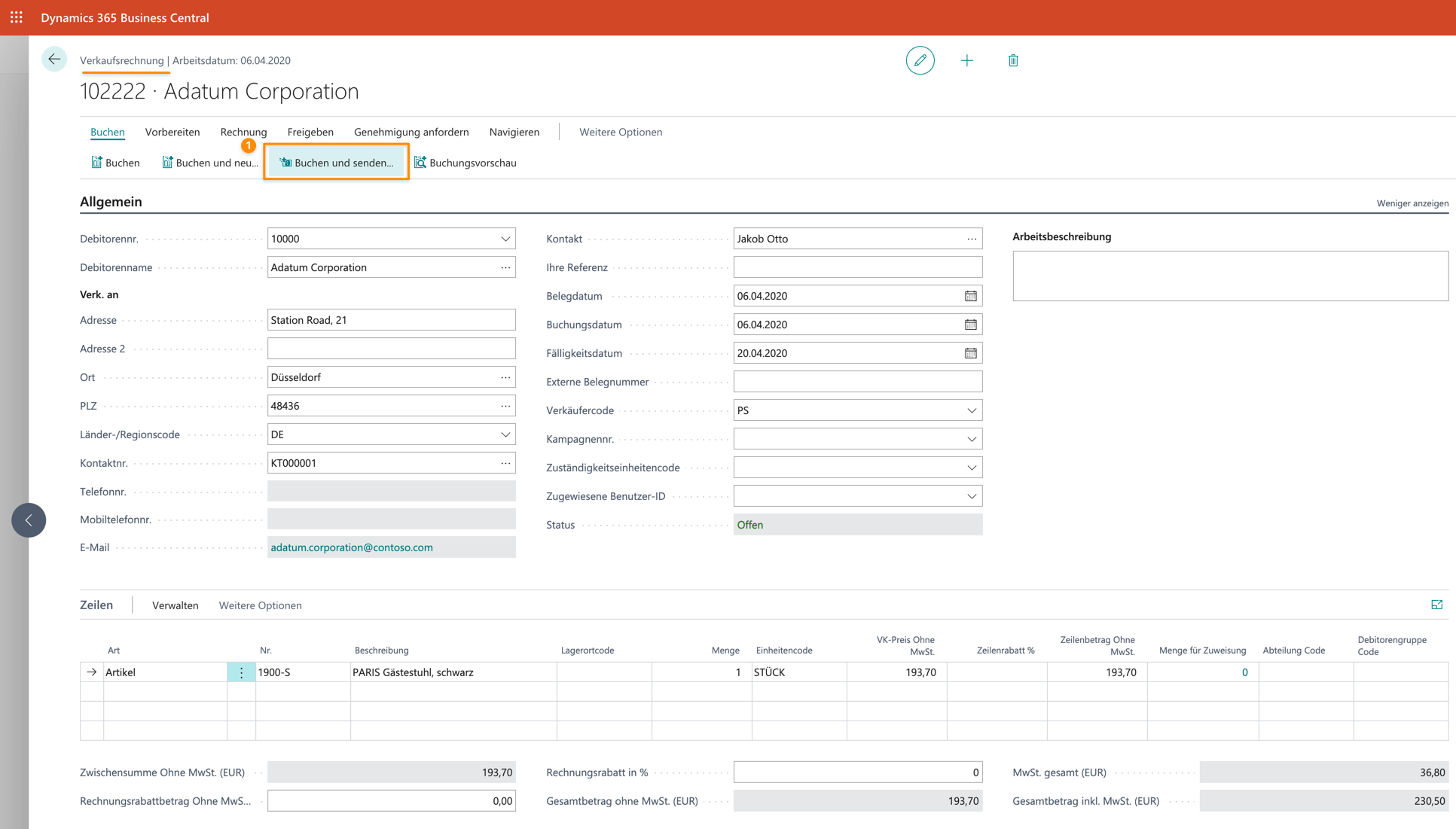
- Create a new sales invoice.
- Select the "Post and send" action for the billable sales invoice. If the customer's "Default sending profile" is "Electronic document", this is displayed in the "Post and send confirmation" dialog box and you only need to select the "Yes" button to post and send the invoice electronically in the selected format.
–
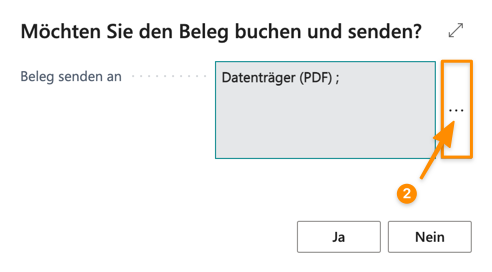
- In the "Booking and send confirmation" dialog box, select the AssistEdit button to the right of the "Send receipt" field.
–

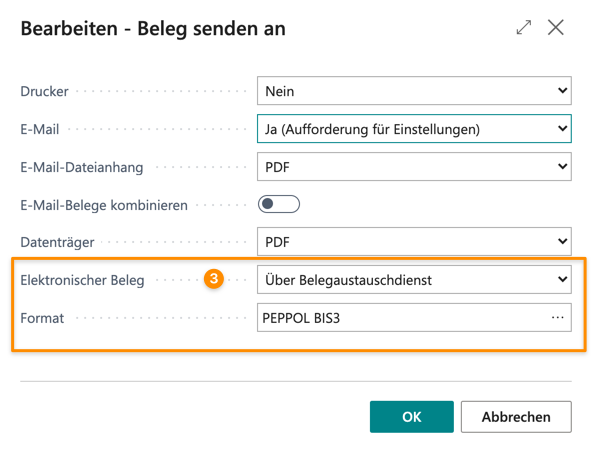
– - In the "Send receipt to" dialog box, select the "Via receipt exchange service" option in the "Electronic receipt" field and PEPPOL BIS3 in the "Format" field.

– - If you confirm the button with "OK", the "Booking and send confirmation" dialog box is displayed. The electronic receipt is added to the "Send receipt to" field.
- Select the "Yes" button and the sales invoice is posted and sent to the customer as an electronic receipt in PEPPOL format.
Have we piqued your interest? We would be happy to tell you more about Microsoft Dynamics 365 Business Central! Please call 089 - 211 11 848 or send an e-mail to vertrieb@br-ag.com