As the financial year draws to a close for most companies, today we are providing a brief overview of the year-end closing in Microsoft Dynamics 365 Business Central.
Even if the financial year is the same as the calendar year for most companies, the financial year can be customized. In contrast to most other accounting software, clients and accounts etc. remain the same in the new financial year. As the data is saved, no new accounts need to be opened in the next period; instead, postings are simply made to the existing accounts from the previous financial year. The P&L accounts are of course an exception. Here, the balances of the individual P&L accounts are created and posted to the P&L statement as normal.
To be able to post between two periods, e.g. 31.12.t1 and 01.01.t2 there is the option of making end-of-period postings. These postings are marked with a "U" and do not belong to period t1 still t2 to.
Below you will find a detailed list of the functions for creating your annual financial statements in Microsoft Dynamics 365 Business Central:
- Define your financial year and structure it individually in periods for which the financial performance is reported.
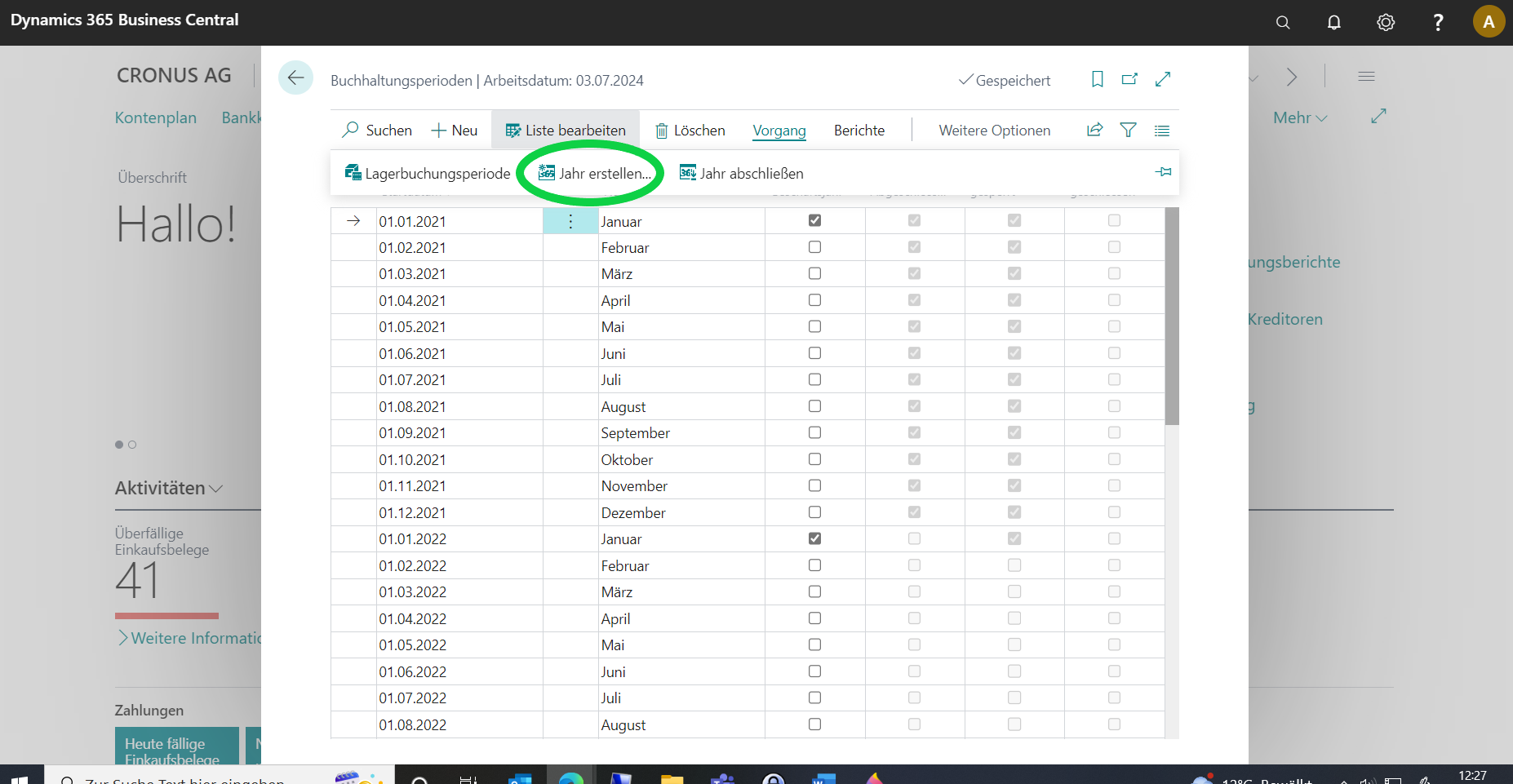
- Get an overview of the activities that are normally due towards the end of a period, such as posting all receipts and ledgers or running financial reports.
- Assign system-wide and user-specific posting date ranges. Depending on the business requirements, it is advisable to limit the posting date ranges for users at the beginning and end of the period-end closing.
- Allocate costs and sales to accounts and dimensions.
- Determine how you create VAT contributions that you have collected for sales to the tax office.
- Print reports to support the creation of financial evaluations.
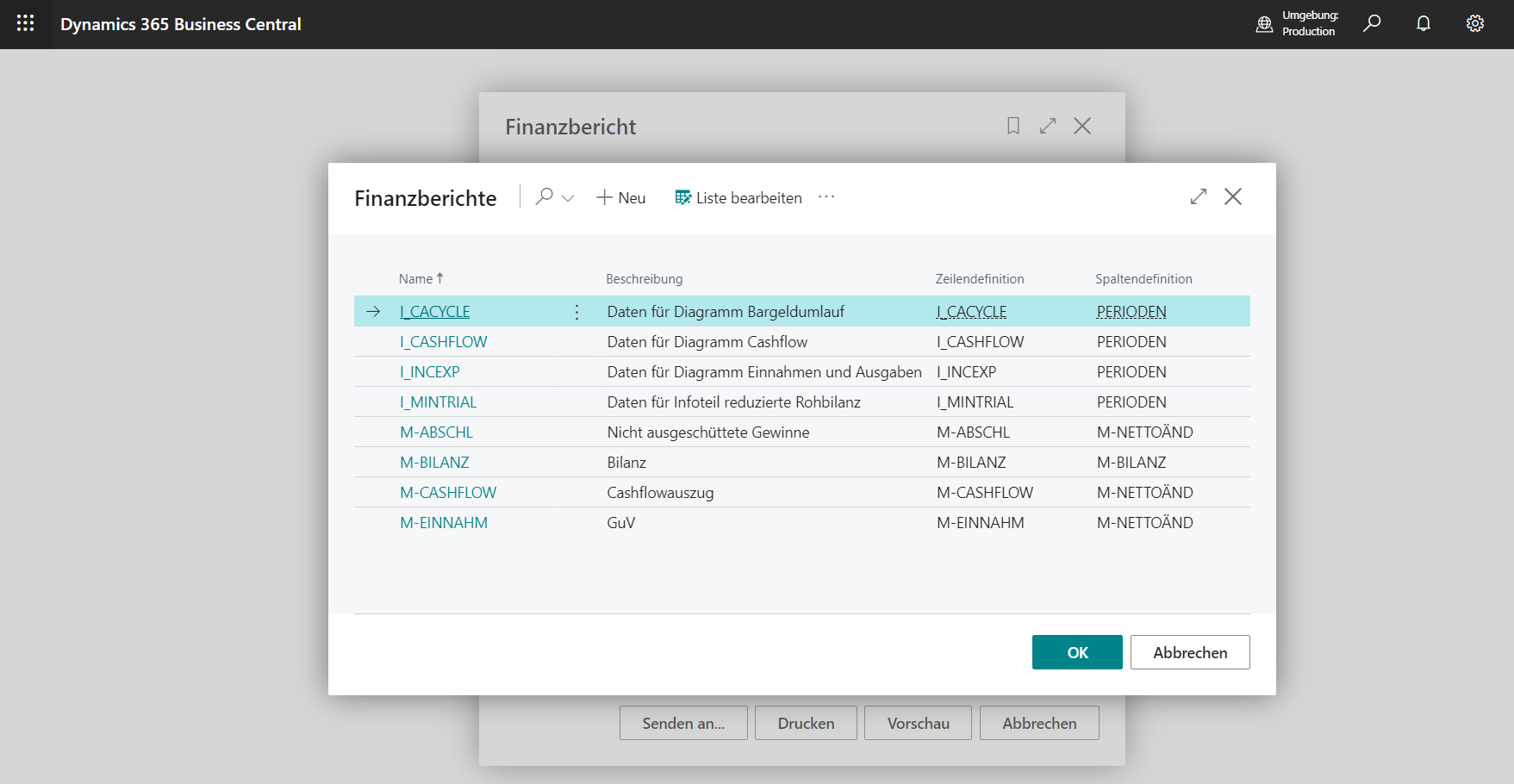
- Updating exchange rates and adjusting the exchange rates of posted debtor, creditor and bank account items.
- Print reports to check the balances of financial accounting, accounts receivable, accounts payable and bank accounts before period-end closing.
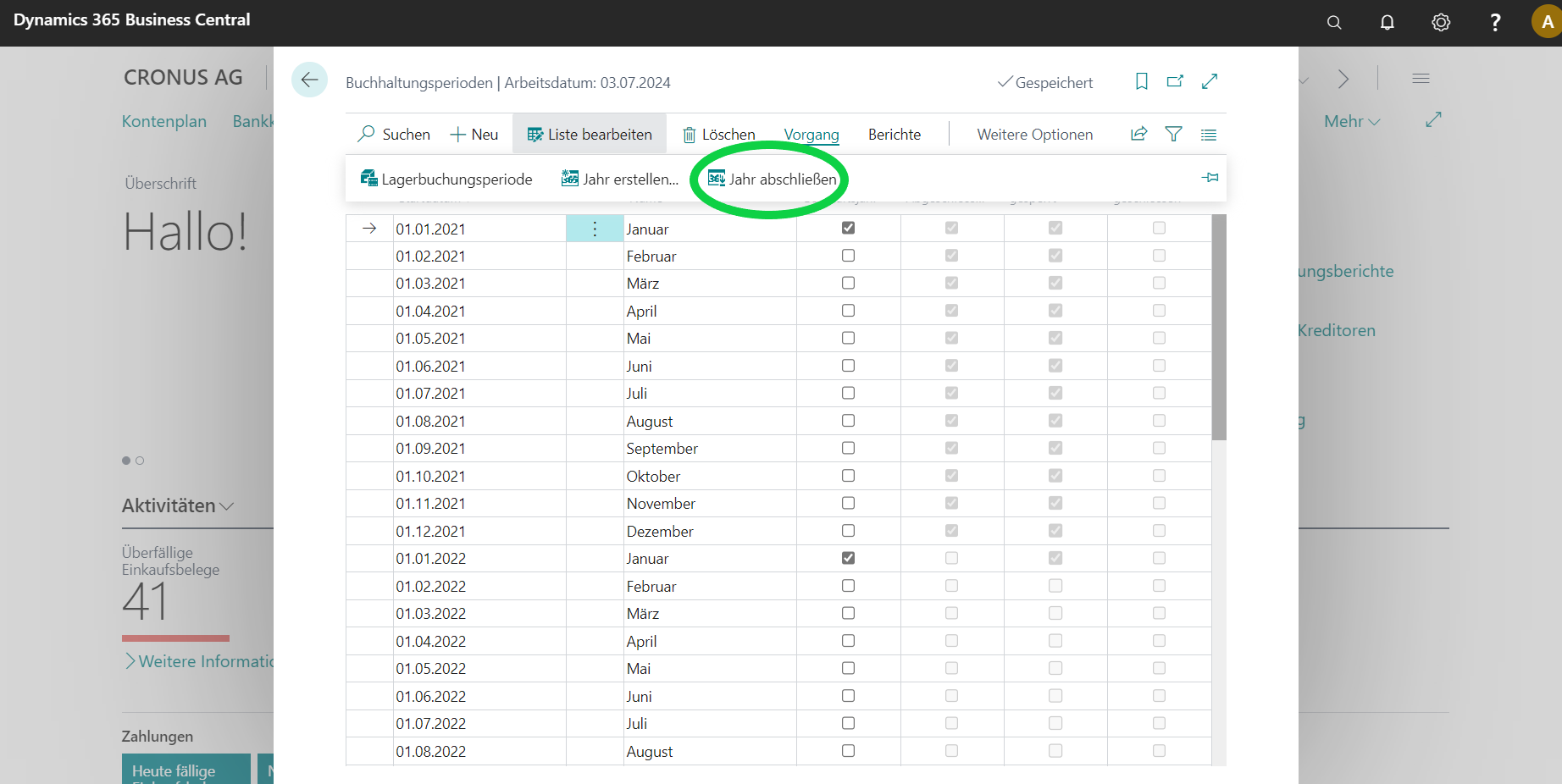
- Closing the accounting periods, transferring the P&L balances to balance sheet accounts and posting the year-end items.
Have we aroused your interest?
If you are interested in Dynamics 365 Business Central and would like more information, please contact us!
Phone: +49 (89) 21 111 848
E-Mail: vertrieb@br-ag.com