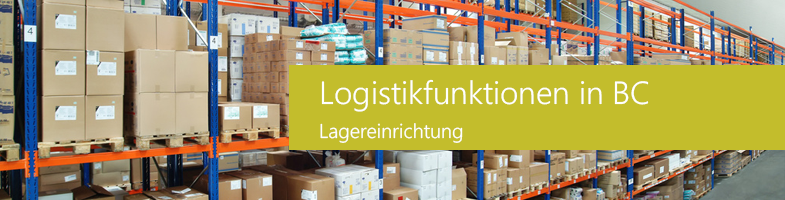
The warehouse is an essential component and regulates the movement of goods in a company from goods receipt to goods issue. As a fundamental element in logistics, goods are managed by the warehouse until they are needed elsewhere.
A warehouse is a physical structure or location where stock is received, stored and delivered. This storage location can be organized into different storage bins. A distinction is made between basic and extended warehousing.
Manage your warehouse professionally with Dynamics 365 Business Central (NAV).
We give you an overview of the most important features of the Storage bin equipmentwhich are used in the logistics functions in Business Central.
The item quantities in warehouses are referred to as storage bin contents.
Storage template
This template can be assigned to an item and a storage location. It specifies prioritized rules that must be taken into account when creating putaways.
Availability of the article in the storage bin is indicated by the "Article" or "Storage bin code" field.
For the storage bin contents, the properties "Fixed", "Dedicated" or "Standard" can be assigned depending on use.
Fixed storage space:
Contains items that are assigned to the respective storage bin code. It is ensured that the storage bin content does not disappear and is reassigned if the content of the storage bin is temporarily empty.
Dedicated storage space:
This space is only used for the dedicated resource, such as a workstation, which uses the storage bin in question.
Standard storage location:
The default storage bin property is used to suggest storage bins according to the warehouse activities. For incoming items at storage locations, the property is used to specify where items are to be placed. For outgoing items, the corresponding property is used to indicate where items are to be picked.
Prioritization of the storage location
The storage bin priority together with the storage bin content information are the basic properties that users use to sort items in the warehouse.
Automation is possible in this extended warehousing system. You can place items in storage bins according to withdrawal requirements and optimize the effective use of storage space.
So-called low classification storage bins are suggested. Withdrawal processes are also optimized by first suggesting items from the storage bin contents with a high storage bin priority. In addition, storage bin replenishments are suggested from the storage bins with a lower or higher rank.
Storage bin setup
Storage bins can be set up with capacity values such as quantity, total volume and weight in order to control which items are stored in the storage bin and how. Business Central provides item cards for this purpose, which can be assigned a unit (UOM) for the item such as pieces, pallets, liters, grams or fields.
It is possible to set up a maximum quantity of a specific item for storage in a single storage bin by defining a maximum quantity for this item card. Capacity restrictions for certain contents in a storage bin are possible if a check has been carried out to determine whether the unit of measure and the dimensions of the item have been set up on the item card.
Storage zones
Storage bins can be grouped by zone to manage the workflow of warehouse activities. A zone can be a receiving zone or a storage zone and each zone can consist of one or more storage bins.
Storage classes
In advanced warehousing, you can assign storage class codes to items, storage bins and also zones to determine where different item classes are stored. A zone can be divided into several storage classes. For example, items in the receiving zone can be assigned as 'frozen', 'dangerous' or another class.
Get in touch with us
Would you like to use Dynamics 365 Business Central/ NAV in your company in the future or are you already using Dynamics NAV and would like to optimize your logistics functions?
Get in touch with us! Our consultants will be happy to support you or answer any initial questions you may have.
Tel.: 089 - 211 11 848 or e-mail to vertrieb@br-ag.com.