All important information at your fingertips
Today we would like to inform you about a great Microsoft feature to make your everyday work more effective: The Microsoft Business Central Add-in for Outlook. This add-in allows you to manage business interactions with your customers and vendors directly in Outlook. Once the add-in is activated, you can view contextual information from your Business Central Live system in a side panel. This allows you to view financial data on customers and vendors with the Business Central Add-in for Outlook. It is a great advantage because you can stay in Outlook and immediately see all the information about the customer on the dashboard. It is also possible to easily create and send financial documents such as quotes and invoices in Outlook. Dynamics 365 Business Central then automatically creates a document with the quote and attaches it to the email.
How can I use the add-in for Business Central in Outlook?
In Outlook, you will find the Business Central logo at the top right of the ribbon. By clicking on the drop-down symbol, you can now display contact data, for example. The financial data for customers or vendors now appears in the open window on the right.
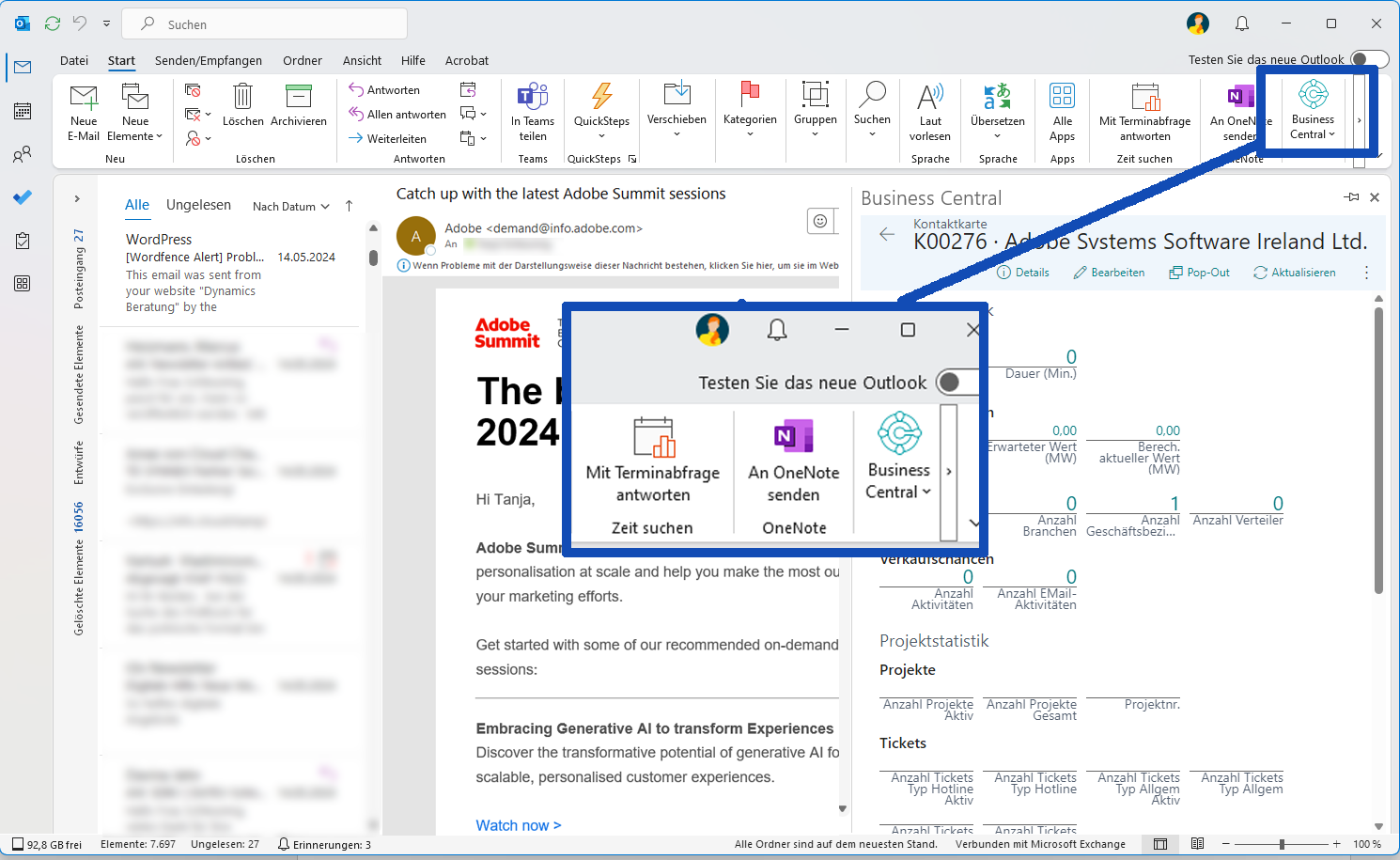
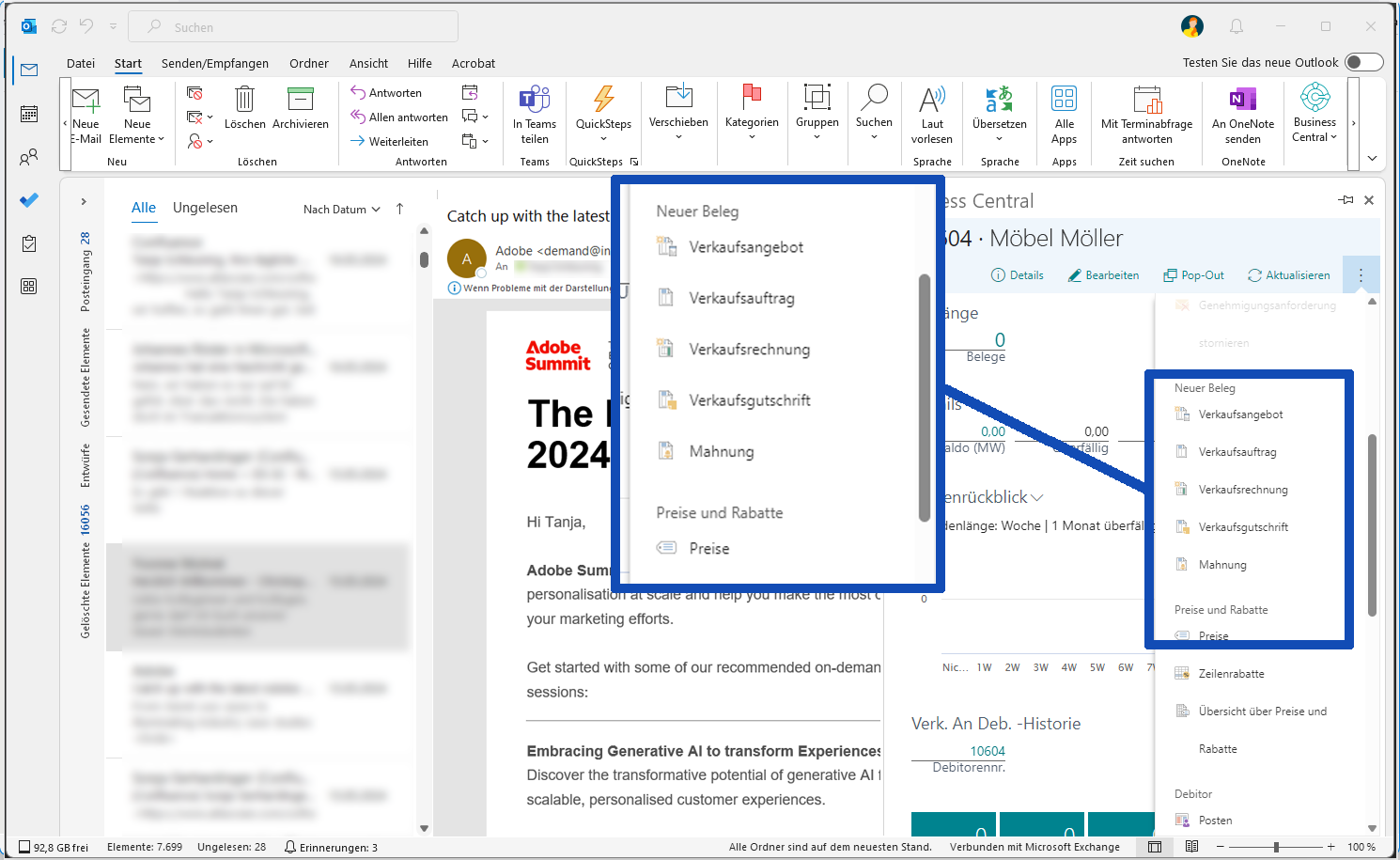
In addition, you can now access Business Central from Outlook, create new documents such as sales offers, sales orders, sales invoices and also carry out postings.
Have we aroused your interest and would you like more information?
Then please contact us on +49 (89) 211 11 848 or by e-mail at vertrieb@br-ag.com. We are happy to advise you!