
News about Business Central: Offer from BREP to CSP

Important note: The 'BREP To CSP' campaign has been extended by Microsoft until August 31, 2021!!!
We have a great offer for all NAV and Business Central On Premise customers: Until June 30, 2021, you have the option of switching to the cloud in addition to On Premise - at no extra cost. You can use both systems in parallel thanks to the dual use rights.
How-to series: Creating a sales invoice in Business Central

How-to sales invoice: In this newsletter, our How-to series deals with the topic of "Creating a sales invoice in Business Central". Furthermore, we will convert an already created sales order into a sales invoice. Sales invoice: Select the Sales invoice item via the Sales field. Alternatively, select the magnifying glass symbol and enter the search term sales invoice. Select [...]
New features Magento interface
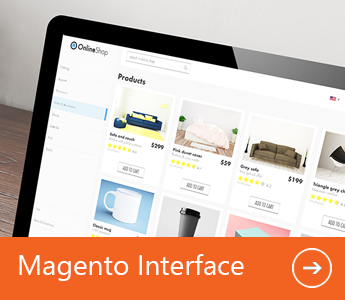
We have updated our tried-and-tested Magento Interface add-on and added new functionality, particularly in the area of product data.
We would like to present some of the highlights here.
Always keep an eye on your Magento store
In the product interface, the integrated web viewer gives you an up-to-date view of your Magento store directly in Business Central/Dynamics NAV, analogous to the selected product, without you having to switch windows. This allows you to check the display of the respective product in the Magento store directly from the product interface once the article data has been successfully transferred. And you can always keep an eye on your Magento store.
Dynamics 365 Business Central What's new

The Dynamics 365 Business Central version (Wave 1) released in April 2021 offers many new functions and improvements.
We have summarized the highlights for you below:
How-to series: Creating orders in Dynamics 365 Business Central
In our March newsletter, we already reported on how you can create a sales offer in Business Central in our How-to series.
The sales offer can be used as a preliminary draft of a sales order in which item descriptions, the price and other sales conditions are defined.
In today's How-to series, we would like to explain how to create a new sales order and how to create a sales order from an existing offer.
New add-on partner: Continia Document Capture

Today we would like to introduce you to the Document Capture add-on from our partner Continia, which can be used to accelerate and automate every step of document processing. Continia develops add-ons for Microsoft Dynamics NAV & Dynamics 365 Business Central for more effective handling of administrative processes, such as automated invoice receipt processing (OCR scan, approval workflows, etc.) or travel expense accounting (management of business expenses).
Continia Document Capture is a comprehensive end-to-end solution for Microsoft Dynamics that can scan, extract OCR data, register and archive all types of documents. This allows you to accelerate and automate every step of document processing - from receipt and input of a document to approval and publication.
Business Central - Cloud Version

Dynamics 365 Business Central for small and medium-sized enterprises - fast transition to the cloud
Whether start-ups, small or medium-sized companies - most of them want to optimize and automate their business processes right from the start. The cloud-based ERP solution from Microsoft covers all areas of the company that are mapped in the standard system:
Financial management, supply chain management, manufacturing, sales & marketing, project management, service management, human resources
How-to: Create sales offers in Dynamics 365 Business Central
In our January newsletter, we explained how you can use sales opportunities in Dynamics 365 Business Central. Here we show you how you can continue the sales process and easily create a quote from an opportunity.
A sales quotation can be used as a preliminary draft of a sales order, specifying item descriptions, price and other terms of sale. It does not require existing debtor information and can be converted into a sales order or archived for future transactions.
How-to: Sending receipts by e-mail in Dynamics 365 Business Central
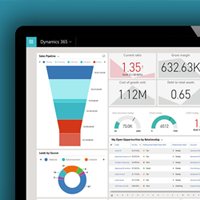
To simplify processes in the area of finance and accounting, Dynamics 365 Business Central offers the function of sending invoices and credit notes electronically in PEPPOL format.
An already configured document exchange service is included in Business Central and can be set up for your client.
A sales invoice in PEPPOL format is sent via the "Post and send" dialog box under "Electronic receipt".
You can also maintain the customer's standard document sending profile here after setting up the following master data:
What's new - Dynamics 365 Business Central Version 18

The new major version BC 18 will be released from April 2021. The new features will then be rolled out in stages in the period April 2021 - September 2021 (this is why Microsoft also calls the releases "waves").
We have summarized the most important features of the new version for you here: